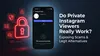
Instagram Screenshot Notifications (2026): What Triggers Them & How to Bypass Alerts
Worried about Instagram screenshot notifications? Discover exactly what triggers alerts in 2026 and learn stealthy ways to screenshot DMs without them knowing.
Table of Contents
- The Fundamentals of Instagram Screenshot Notifications: The 2026 Safe vs. Unsafe Matrix
- Deep Dive into Visual Indicators: How to Tell if Someone Screenshotted Your Content
- Deep Dive into Stealth Workarounds: How to Screenshot Disappearing Messages Without Them Knowing
- Expert Insights: Device Differences & Policy Updates
- Conclusion
- FAQ
You just took a screenshot of a direct message, and immediately, a wave of panic hits: Did they just get a notification?
If you are frantically searching for an answer, you are in the right place. This guide compiles rigorous 2026 app testing and stealth methodology to give you the definitive, fluff-free rulebook on Instagram’s privacy tripwires. We are skipping the generic definitions of what a screenshot is and getting straight to the point.
Below, you will find a clear cheat sheet detailing exactly what triggers an alert right now, alongside step-by-step technical workarounds to capture disappearing messages completely undetected. Whether you are trying to save a fleeting photo or simply want to browse without leaving a digital footprint, this is your ultimate blueprint for navigating Instagram’s screenshot detection systems safely.
The Fundamentals of Instagram Screenshot Notifications: The 2026 Safe vs. Unsafe Matrix
Key Principle 1: What Triggers an Immediate Alert (Unsafe)
Instagram’s privacy infrastructure is highly specific. The platform only penalizes the capture of ephemeral (temporary) content. If you take a screenshot of a photo or video sent via direct message using the “View Once” or “Allow Replay” camera features, the sender is instantly notified.
Furthermore, an instagram vanish mode screenshot notification is guaranteed if you capture anything within a Vanish Mode chat thread. Because Vanish Mode is explicitly designed for off-the-record, disappearing conversations, Meta’s API actively monitors the screen state. Capturing text, photos, or videos in this mode triggers an immediate, unavoidable alert to the other user.
Key Principle 2: What is Completely Safe to Capture (Safe)
To alleviate your immediate anxiety: the vast majority of Instagram is completely safe to capture. If you are wondering about an instagram story screenshot notification 2026 update, rest assured—Instagram does not notify users when you screenshot their Stories.
Similarly, if you are asking, can someone tell if you screenshot their instagram profile, the answer is a definitive no. Standard DMs (regular text and uploaded camera roll photos), Reels, Explore page content, and grid posts remain completely safe to capture.
To clarify exactly what screenshots trigger instagram notifications, reference this definitive 2026 cheat sheet:
| Content Type | Does it Trigger a Notification? |
|---|---|
| Disappearing DMs (View Once/Replay) | 🚨 YES |
| Vanish Mode Chats | 🚨 YES |
| Instagram Stories | ✅ NO |
| User Profiles & Grid Posts | ✅ NO |
| Standard DMs (Text & Camera Roll) | ✅ NO |
| Reels & IGTV | ✅ NO |
Deep Dive into Visual Indicators: How to Tell if Someone Screenshotted Your Content
Detailed Explanation A: Decoding the DM ‘Sunburst’ Icon
When someone screenshots a disappearing photo or video you sent in a standard DM, Instagram does not send a loud push notification to your phone’s lock screen. Instead, it uses a subtle UI indicator: the ‘sunburst’ icon.
This icon looks like a small, hatched circle (or a loading wheel made of tiny lines). It appears directly next to the disappearing message bubble inside the chat interface. Additionally, on your main Direct Messages inbox screen, you will see the word “Screenshot” appear beneath the user’s name, replacing the standard “Delivered” or “Opened” status text.
Detailed Explanation B: Vanish Mode Chat Notifications
Vanish Mode handles alerts much more aggressively than standard DMs. Because the entire chat is ephemeral, the visual indicator is impossible to miss.
If a user takes a screenshot while Vanish Mode is active, an explicit text alert reading “User took a screenshot” is injected directly into the chat stream, timestamped and visible to both parties. It looks identical to a standard system message, contrasting sharply with the subtle sunburst icon used for isolated disappearing messages.
Deep Dive into Stealth Workarounds: How to Screenshot Disappearing Messages Without Them Knowing
Practical Application: The Airplane Mode Strategy (2026 Tested)
If you need to know how to screenshot disappearing messages on instagram without them knowing, the Airplane Mode method remains the most reliable native workaround, provided you follow the sequence flawlessly.
Step-by-Step Bypass Guide:
- Load the DM: Open the chat and let the disappearing message fully load (do not open it yet).
- Enable Airplane Mode: Swipe down your control center and turn on Airplane Mode. Ensure Wi-Fi and Cellular Data are completely disabled.
- Take the Screenshot: Open the message and take your screenshot.
- Force Quit the App: Do not just minimize Instagram; swipe it away completely to kill the app process.
- Clear Cache (Crucial): On Android, go to Settings > Apps > Instagram > Clear Cache/Data. On iPhone, you must uninstall and reinstall the app to clear the temporary memory.
- Reconnect: Turn off Airplane Mode and reopen Instagram. The sender will only see that the message was “Opened.”
For users interested in applying stealth tactics across other platforms, check out our Anonymous TikTok Story Viewer Guide.
Analysis/Pros & Cons: PC Emulators and Secondary Devices
Many users ask: does instagram notify when you screen record a dm? Yes. Native iOS and Android screen recording tools trigger the exact same APIs as a screenshot, resulting in an immediate alert for disappearing content.
To bypass mobile-only screenshot APIs entirely, you must remove the action from the mobile operating system.
- PC Emulators: Using an Android emulator like BlueStacks on your PC allows you to open Instagram in a virtual environment. You can then use your Windows or Mac screenshot tool (like Snipping Tool) to capture the emulator window. Because Instagram cannot read your desktop OS’s screen capture API, it is completely undetectable.
- Secondary Devices: The most foolproof, zero-risk method is simply using a secondary phone or physical camera to take a picture of your screen.
To further protect your identity while browsing, explore How to View Instagram Without an Account and our analysis on Private Instagram Account Viewer: Do They Work?.
The Airplane Mode Screenshot Bypass (4 Steps):
- ✈️ Disconnect — Turn on Airplane Mode (disable Wi-Fi + Cellular)
- 👁️ Open — View the disappearing DM or Vanish Mode message
- 📸 Capture — Take your screenshot while fully offline
- 🗑️ Clear Cache — Force-close Instagram, clear its cache in Settings, then reconnect to the internet
Expert Insights: Device Differences & Policy Updates
Actionable Advice: iPhone vs. Android Screenshot Notifications
When analyzing instagram screenshot notifications iphone vs android, the underlying OS mechanics dictate how stealth methods perform.
iOS utilizes the strict ReplayKit API. When you trigger a screenshot or screen record on an iPhone, iOS broadcasts this state change globally, which Instagram instantly catches. Android, however, utilizes FLAG_SECURE for protected displays. While Android will often just black out the screen entirely if you try to screen record a disappearing DM, standard screenshots will still trigger the sunburst alert. Because Android allows for deeper cache clearing without app deletion, the Airplane Mode trick is significantly faster to execute on Android than on iOS.
Authoritative Source: Policy Updates & Rumor Control
Viral TikTok videos frequently spark panic, leading users to search: is instagram going to start notifying screenshots?
According to the latest Meta privacy documentation and our instagram screenshot policy update tracking, Instagram has no plans to implement global screenshot notifications for regular feed posts, Reels, or Stories. The platform strictly reserves screenshot alerts for ephemeral messaging to comply with end-to-end encryption and privacy-first messaging standards. Do not fall for engagement-bait rumors claiming otherwise.
For more insights on navigating third-party Instagram tools safely, read Pixwox Instagram Viewer: Is It Safe?.
Conclusion
Navigating Instagram’s privacy features doesn’t have to be a guessing game. The core rule for 2026 is simple: regular content—like Stories, grid posts, and standard DMs—is completely safe to capture. However, disappearing DMs and Vanish Mode chats are heavily protected and will trigger immediate alerts.
By understanding exactly how visual indicators like the sunburst icon work, you now possess the definitive rulebook to avoid awkward digital encounters. Furthermore, by utilizing tested stealth methods like the Airplane Mode cache-clear or PC emulators, you can protect your digital privacy and capture ephemeral content undetected.
Explore our full suite of tools for anonymous social media viewing, including the pillar guide How to View Social Media Anonymously: Complete Privacy Guide and our comprehensive guide on How to View Facebook Profiles Anonymously.
FAQ
Does Instagram notify when you screenshot a DM 2026? It depends entirely on the type of message. If you screenshot a standard text DM or a photo uploaded from the camera roll, Instagram does not notify the sender. However, if you screenshot a “View Once” or “Allow Replay” disappearing photo/video, or any message inside Vanish Mode, Instagram will notify the sender immediately.
Can someone tell if you screenshot their Instagram profile? No. Instagram does not track or notify users when someone takes a screenshot of their main profile, grid posts, follower lists, or bio. You can capture this public-facing information completely anonymously.
Does Instagram notify when you screen record a DM? Yes. If you use the native iOS or Android screen recording features to record a disappearing DM or a Vanish Mode chat, Instagram detects the recording API and sends the exact same notification to the sender as if you had taken a static screenshot.